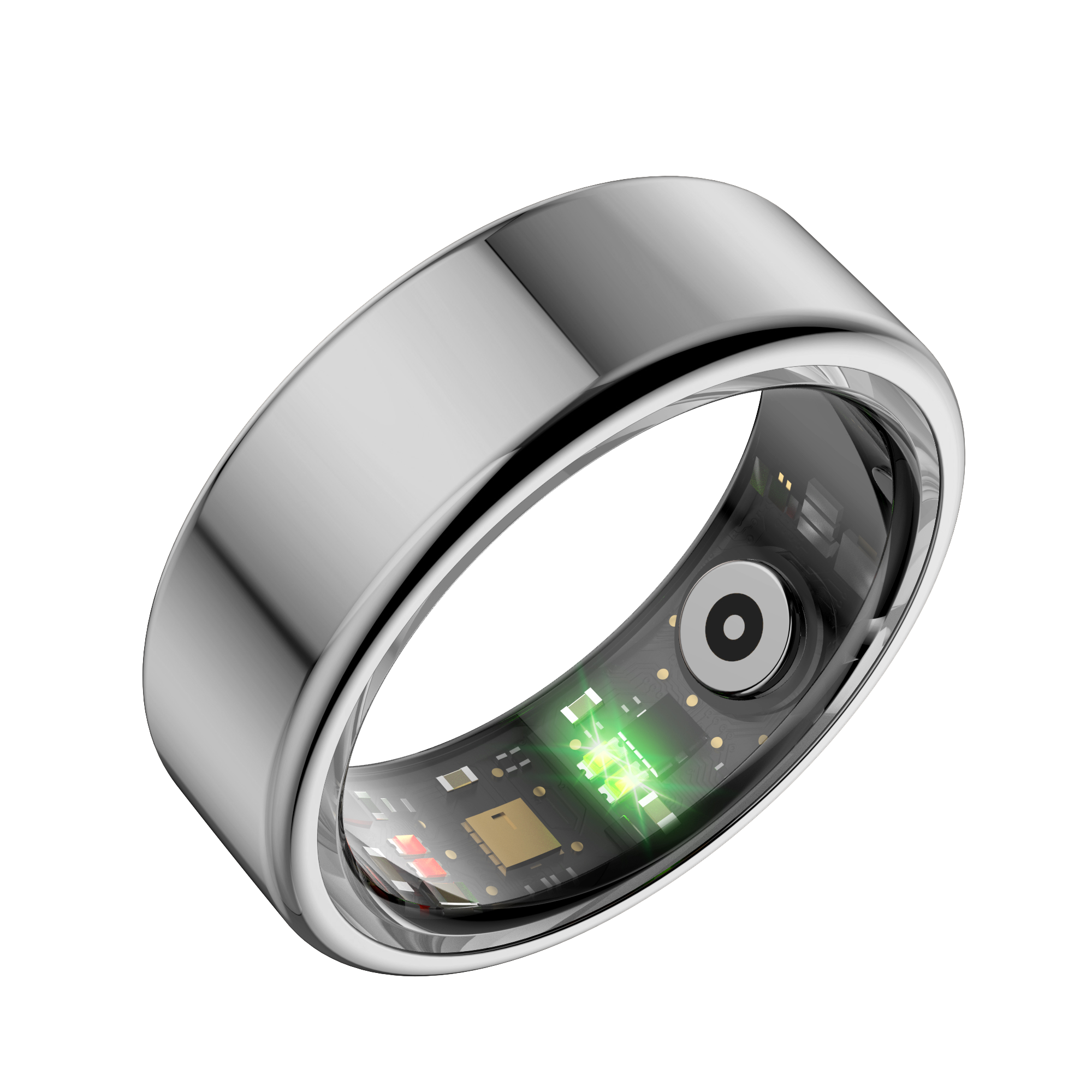



What to Do If Your Smart Ring Battery Drains Too Fast
Share
Key Takeaways
- Identify the battery drain pattern before attempting fixes
- Update software and reset Bluetooth to fix background glitches
- Adjust continuous tracking settings to periodic sampling
- Keep charging contacts clean and dock the ring when off the finger
- Avoid deep battery drains to maintain battery health
- Contact manufacturer support if the ring overheats or drains in hours
Why Is My Smart Ring Battery Draining So Fast?
A smart ring battery may drain faster than expected due to software glitches, weak Bluetooth connections, active tracking features, dirty charging contacts, or normal battery wear.
Troubleshooting should address updates, connectivity, tracking settings, and charging before assuming battery failure.
Before Troubleshooting, Check the Pattern
Identifying when the power loss occurs helps pinpoint the root cause:
- Gradual, normal decline: Normal battery capacity loss occurring slowly over years of daily use.
- Sudden battery drain: A sudden drop in performance often caused by background software loops or stuck firmware processes.
- Drain after enabling a feature: Rapid power loss right after activating continuous sensor functions.
- Drain while off the finger: Power loss while off the body, indicating active optical sensors attempting to detect skin contact.
- Drain with charging issues: Misleadingly fast power drop caused by an incomplete charge due to dirty contacts, charger misalignment, or faulty charging hardware.
- Step 1: Update the Ring and Companion App
Check for Firmware Updates
Software updates frequently include crucial power-management optimizations.
Manufacturers regularly issue firmware patches to fix background-processing bugs that unnecessarily drain battery reserves. Checking the companion mobile app for available updates keeps the device operating efficiently.
Reset the Bluetooth Connection
A weak Bluetooth connection forces the ring to continuously search for a signal, which drains the battery quickly. Re-establishing the connection helps stabilize wireless transmission:
- Turn phone Bluetooth off and back on.
- Restart the smartphone completely.
- Force-close and reopen the companion application.
- Unpair and reconnect the ring within Bluetooth settings.
Restoring a stable connection stops the ring from constantly searching to pair, preserving battery life.
Consider a Factory Reset
If software issues persist, check the manufacturer’s instructions to determine whether a factory reset is available. Sync your health data before resetting because the process may erase locally stored information.
Step 2: Check Battery-Hungry Features
Continuous Health Tracking
Biometric sensors need a lot of power when actively recording. Frequent tracking increases sensor activity, which drains the battery faster.
Features to Review
Reviewing these power-heavy features can help extend your battery life:
- Frequent blood oxygen (SpO2) tracking
- Continuous heart rate monitoring
- Frequent skin temperature checks
- Daily activity and motion tracking
Research shows that photoplethysmography (PPG) optical sensors and continuous LED illumination represent primary sources of energy consumption in miniature wearable electronics.
Change Settings Instead of Turning Everything Off
You don’t need to turn off every feature to get good battery life. If your app allows it, changing certain features from continuous to periodic tracking may reduce power use while keeping important data active.
Step 3: Reduce Bluetooth Activity When Appropriate
When Disconnecting Bluetooth May Help
If you do not need real-time syncing, temporarily disabling Bluetooth may reduce wireless activity. Life Ring can store monitoring data offline for up to seven days and sync it after Bluetooth is reconnected.
Step 4: Store the Ring Correctly When You're Not Wearing It
Put It on the Charger
Placing the smart ring directly onto its magnetic charging dock when taking it off prevents unnecessary power loss. Storing the device properly ensures it remains fully charged for the next use.
Why Storage Can Matter
Optical sensors on smart rings rely on light reflections to detect skin proximity. Depending on the device, sensors may remain active when the ring is left off the finger. Follow the manufacturer’s storage instructions when the ring is not being worn.
Step 5: Clean the Charging Contacts
Check the Ring
Inspect the inner band surface regularly. The small metal contact pins and optical sensor glass must remain clear of physical obstructions.
Check the Charging Dock
Examine the dock pins for built-up residue. Common substances that block charging efficiency include:
- Natural skin oils
- Dried sweat
- Body lotions and creams
- Microscopic dust and pocket lint
Wiping down the ring casing and dock contacts using a clean, dry microfiber cloth restores strong electrical conductivity.
Make Sure the Ring Is Making Proper Contact
Dust and debris prevent the charger from making flush contact with the internal pins. An incomplete connection can make the device appear fully charged on screen when it only received a fraction of the necessary power.
Step 6: Review Your Charging Habits
Avoid Letting the Battery Drain Completely
Draining the battery all the way to empty puts extra strain on it. Try placing your ring on the charger when the battery drops to around 30% to help it last longer overall.
Try Short Charging Sessions
Short, frequent charges are easier on the battery. Keeping the charge level between 25% and 80% is ideal for long-term battery health.
Use the Recommended Charger
Use the charging equipment and power source recommended by the manufacturer. Incompatible charging accessories may prevent proper charging or generate excessive heat.
Keep Your Smart Ring Away From Extreme Temperatures
Avoid Excessive Heat
High temperatures degrade internal battery chemistry rapidly. Protecting the wearable requires avoiding:
- Direct sunlight on hot window sills
- Vehicle dashboards during summer months
- Proximity to household heating elements
- Avoid Freezing Conditions
Extremely low temperatures slow the chemical reactions inside lithium-ion batteries and can cause temporary drops in performance. Avoid leaving the ring inside unheated vehicles during freezing winter weather.
How to Tell If Your Smart Ring Battery May Have Failed
Watch for Unusual Symptoms
Certain physical signs indicate hardware failure rather than standard software issues:
- Power dropping from fully charged to empty within a few hours
- The ring becoming uncomfortably hot to the touch during charging
- Battery performance remaining severely degraded after completing all troubleshooting steps
- Don't Attempt to Open a Sealed Ring
Smart rings feature water-resistant enclosures designed to protect delicate micro-sensors. Attempting to open the sealed casing can damage its water-resistant seals and internal components.
Contact the Manufacturer
If battery performance fails to recover following complete software updates and charging resets, contacting manufacturer support initiates the warranty or evaluation process safely.
What About Life Ring?
Life Ring Troubleshooting Checklist
Life Ring owners facing rapid power loss should apply standard maintenance practices:
- Verify the Life Ring app and ring firmware reflect current updates.
- Utilize short, regular charging bursts rather than full battery drain cycles.
- Wipe down the inner band sensors and magnetic charging pins weekly.
- Rest Life Ring on its official charging dock when off the finger.
When to Contact Life Ring Support
If Life Ring displays rapid power drain alongside unusual heat generation, users should reach out directly to official Life Ring customer support for official hardware guidance rather than attempting third-party repairs.
Smart Ring Battery Troubleshooting Checklist
- Update the companion app.
- Update the ring firmware.
- Restart the smartphone.
- Re-establish the Bluetooth connection.
- Adjust continuous high-power health monitoring features.
- Wipe down charging contacts using a dry microfiber cloth.
- Confirm proper seating on the charging dock.
- Protect the device from thermal extremes.
- Observe battery performance across the next few charging cycles.
- Contact official support if rapid depletion continues.
FAQ Section
1. Why is my smart ring battery draining so fast?
Rapid battery drain usually stems from background Bluetooth connection loops, continuous high-frequency sensor settings, dirty charging pins, or outdated firmware versions.
2. How long should a smart ring battery last?
Most smart rings provide multi-day battery life between charges. Life Ring offers up to 7 days of continuous operation on a single charge under normal usage conditions.
3. Does continuous health tracking drain a smart ring battery?
Yes. Continuous biometric tracking requires constant optical sensor activity and processing power, accelerating battery consumption compared to periodic sampling.
4. Does SpO2 tracking use more smart ring battery?
It can. Blood oxygen tracking uses red and infrared LEDs, so frequent SpO2 measurements may increase battery use.
5. Can Bluetooth cause a smart ring to lose battery quickly?
It may. Temporarily disabling Bluetooth reduces wireless activity while allowing Life Ring to store monitoring data locally for later synchronization.
6. Can disconnecting Bluetooth save smart ring battery?
Activating Airplane Mode turns off wireless transmissions, reducing battery usage while allowing internal sensors to continue logging wellness data locally.
7. How do I clean my smart ring charging contacts?
Wipe the metal contact pins gently on both the ring and dock using a dry, lint-free microfiber cloth to remove built-up oils and dust.
8. Should I let my smart ring battery reach 0%?
No. Allowing a lithium-ion battery to drain to zero repeatedly causes chemical stress. Recharging around 30% supports long-term battery health.
Conclusion
Troubleshoot Before Assuming the Battery Is Dead
Fast battery consumption often resolves through basic software and physical maintenance. Addressing Bluetooth connectivity, adjusting tracking frequency, updating software, and cleaning charging pins restores performance in most cases.
Watch for Hardware Warning Signs
Unusually fast discharge within hours or excessive heat generation during charging signals a potential hardware issue that requires official technical evaluation.
For Life Ring Users
Maintaining clean charging contacts and using the official charging cable protects Life Ring performance over time. If performance issues persist, reaching out to official Life Ring support ensures safe assistance without risking device damage.